
BigBearVPN (Windows) Tutorial
Download App
Most Windows computers should download the x64 version. Use the arm64 version only for ARM64 devices.
Extract and Run
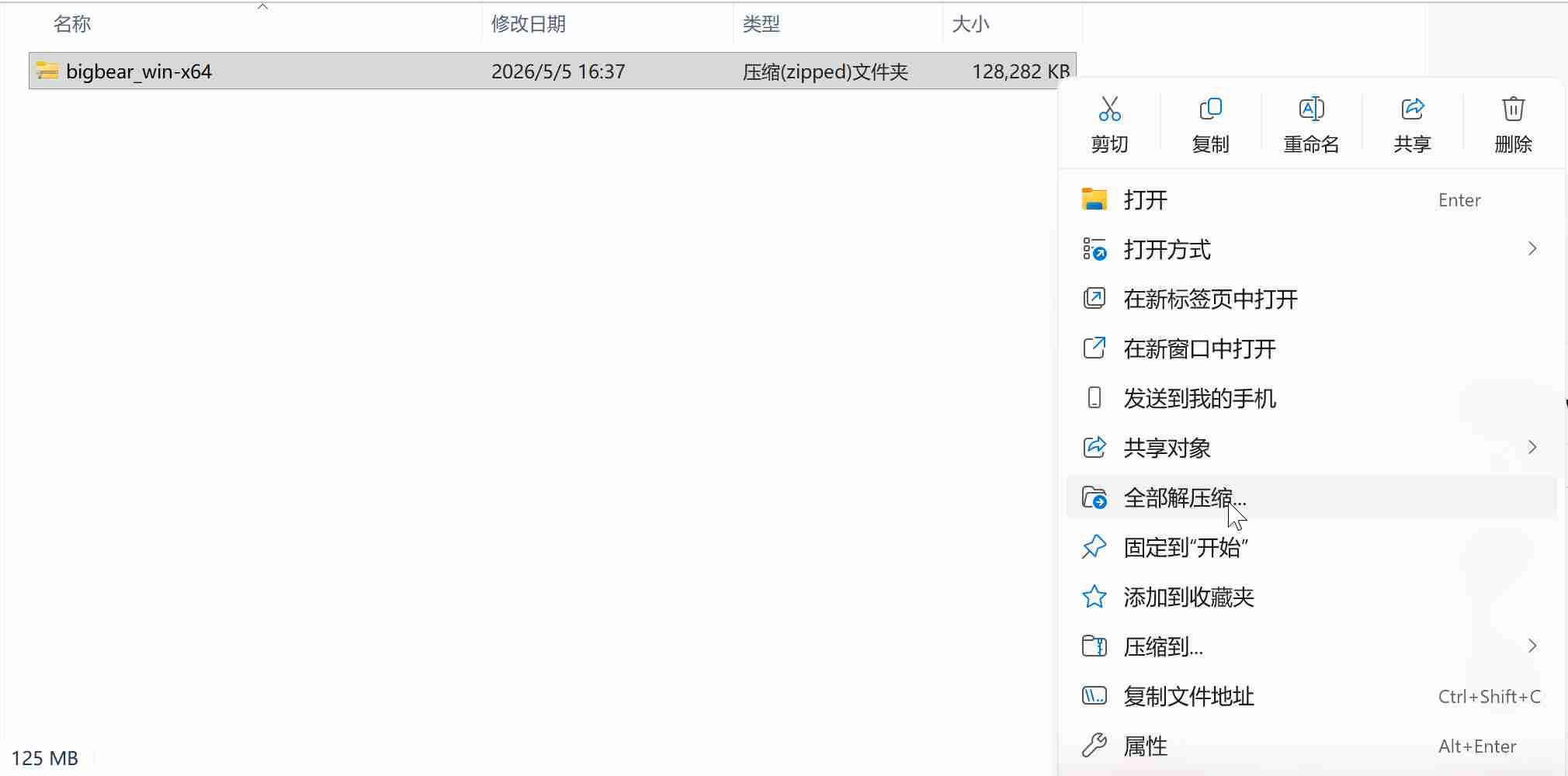
- Using the x64 version as an example, find the
bigbear_win-x64compressed file after downloading. Right-click it and chooseExtract All....
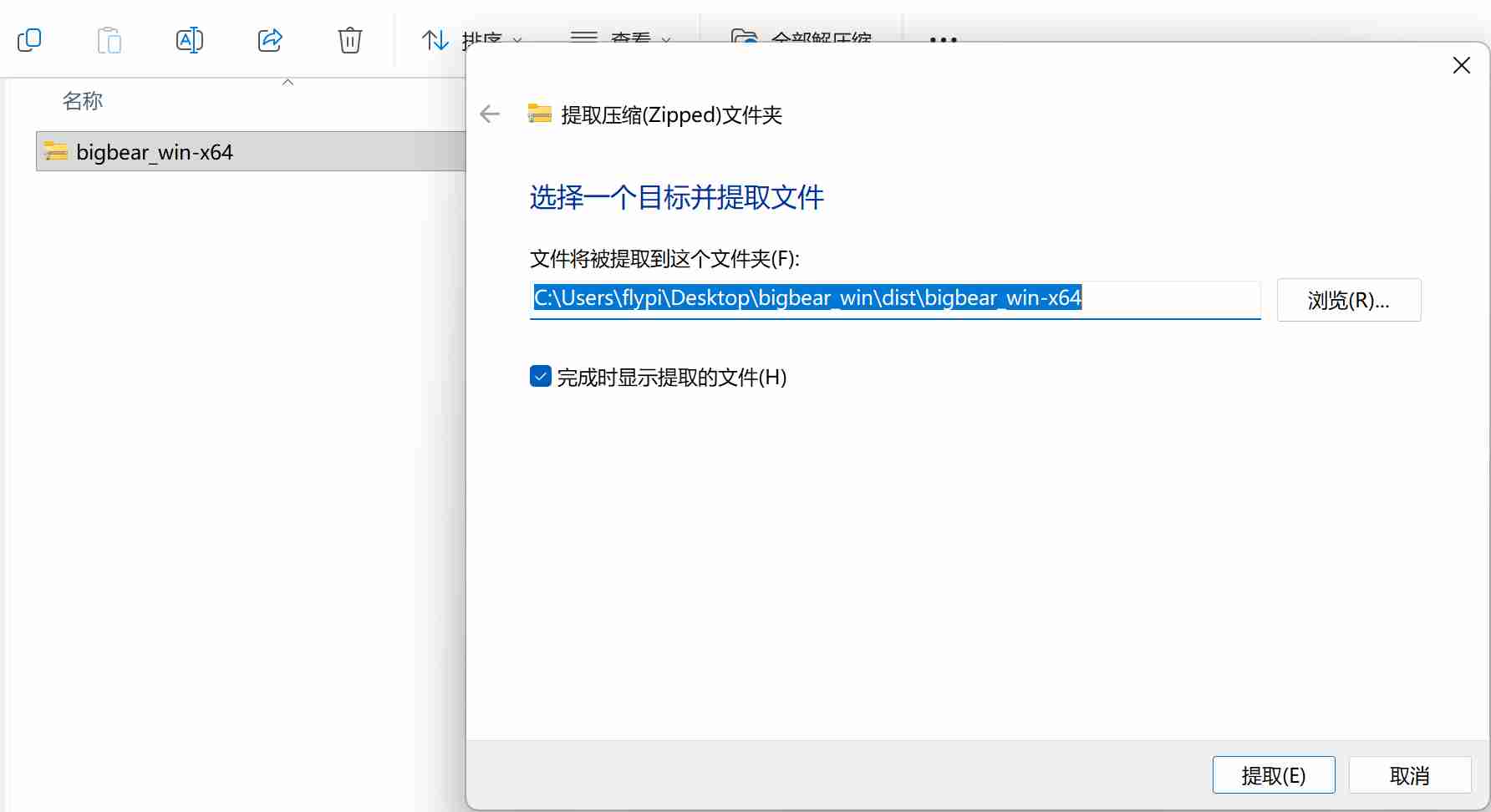
- Keep the default extraction location and click
Extract.
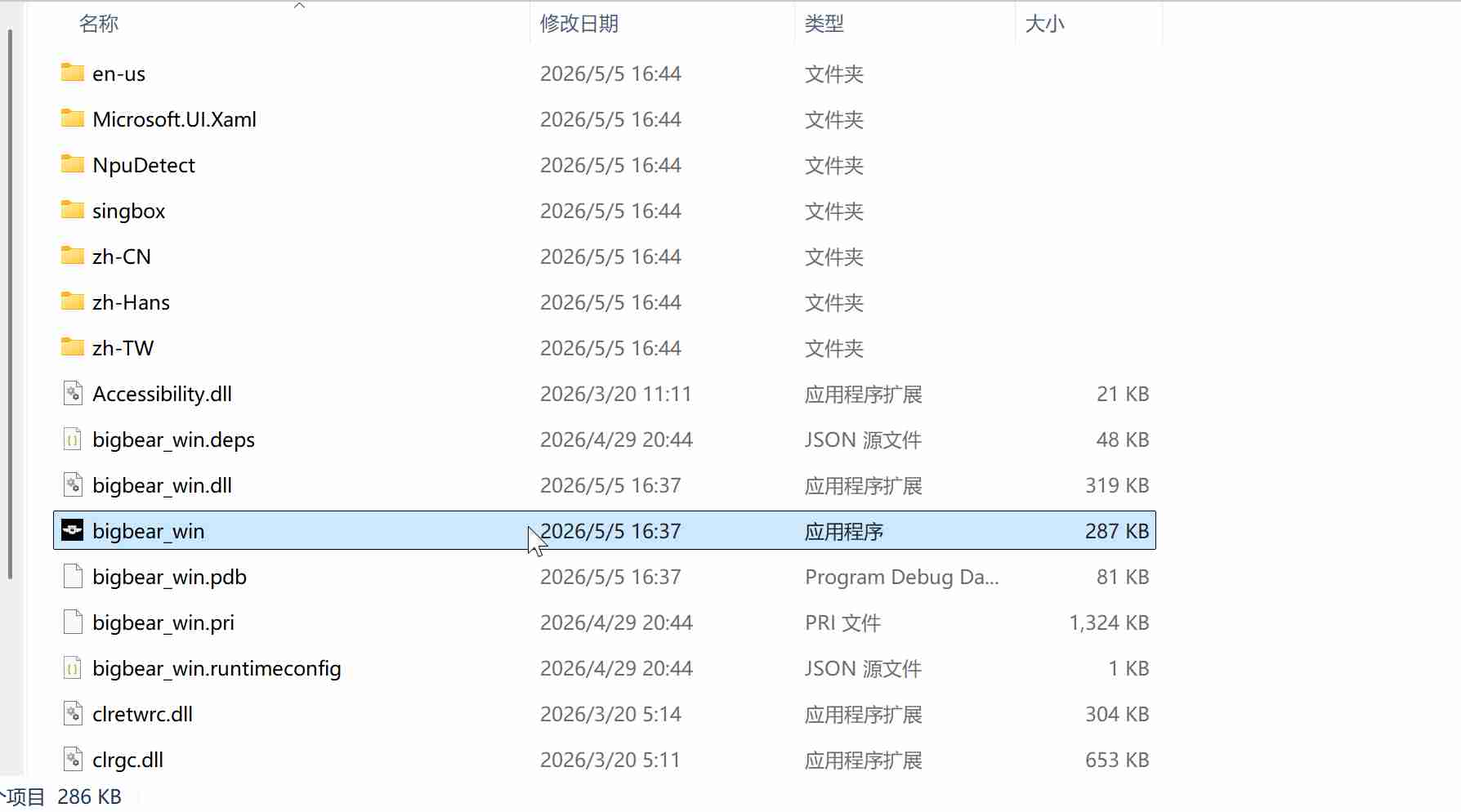
- Open the extracted folder, find
bigbear_win, and double-click it to run.
Connect VPN
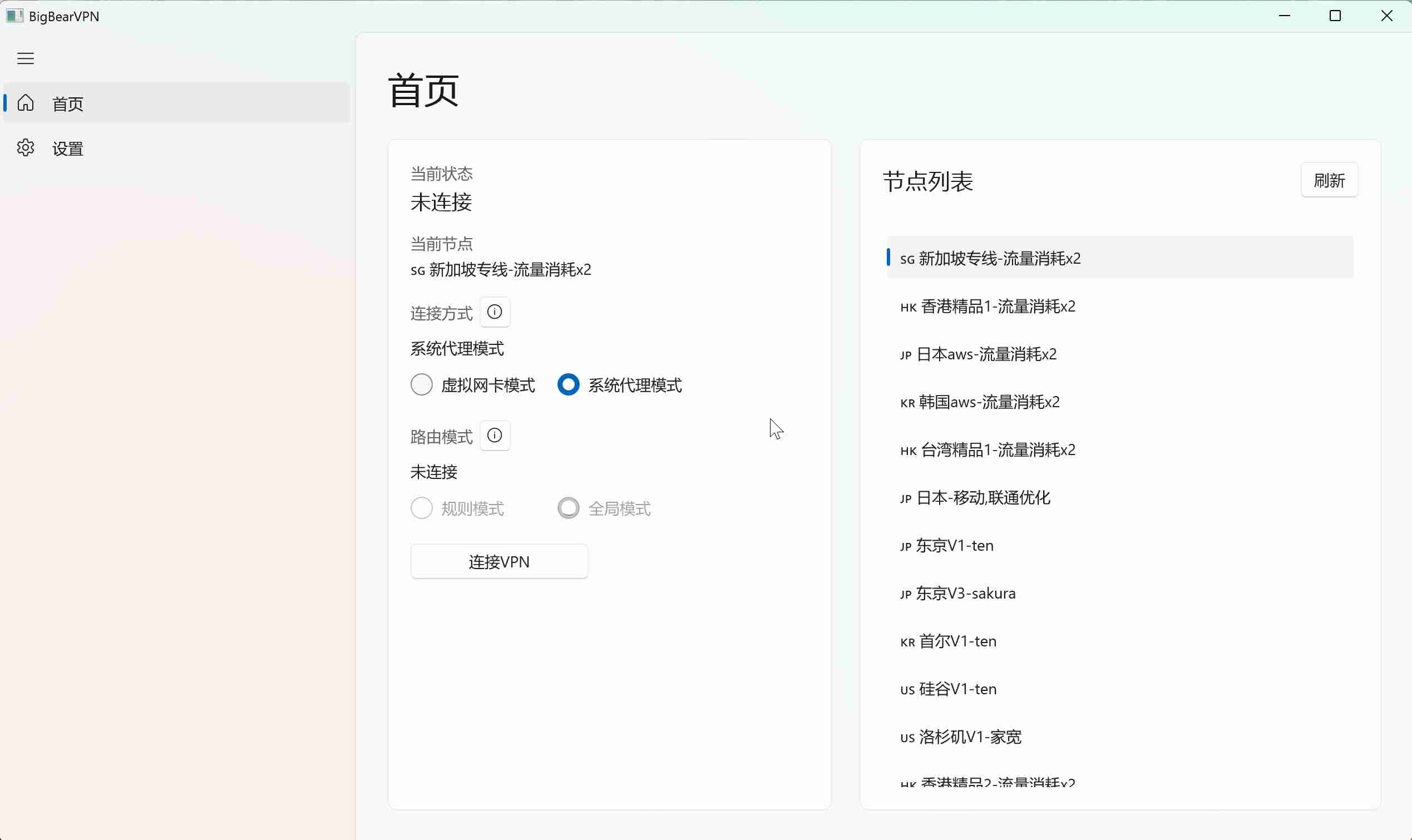
- After opening BigBearVPN, select a node from the node list on the right.
- The recommended connection method is
System proxy mode. - If you want all apps to use the VPN, switch to
Virtual adapter modeand chooseGlobal modefor the routing mode. - Click
Connect VPN. - Sign in to your BigBear member account to finish connecting.
FAQs
Q1: Can I move the app to another folder?
Do not move the extracted bigbear_win app or its program folder to another folder. Moving it may affect normal use.
Q2: How do I create a desktop shortcut?
Open the extracted folder, find bigbear_win, right-click it, choose Create shortcut, then move bigbear_win - Shortcut to the desktop.
Q3: What should I do if there is no internet after connecting the VPN?
- Search Baidu for
Beijing timeand check whether your computer time differs from Beijing time by more than 90 seconds. If the time difference is too large, sync your computer time first. - If the time is correct, try switching to
Virtual adapter mode, then reconnect.